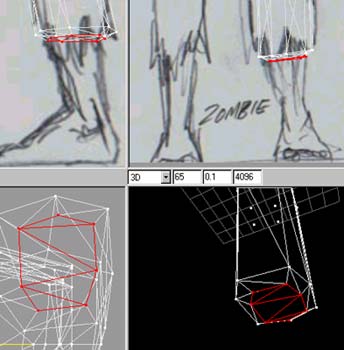
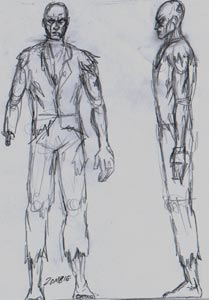
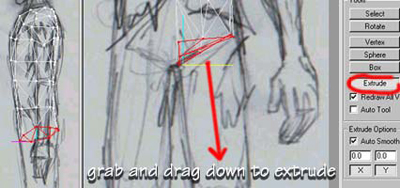
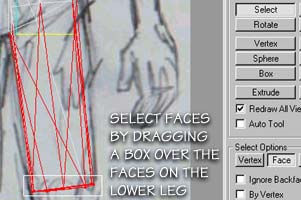
MORE EXTRUDINGI extruded down a few more times scaling it in front and side views to match my reference images and as you can see here I need a step where his torn trousers will end so I extrude a small amount then scale it in from front and side to match the size of the leg..
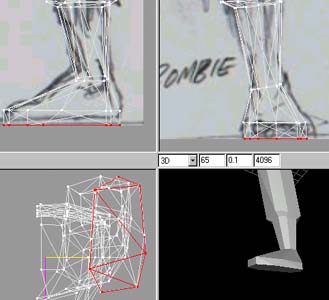
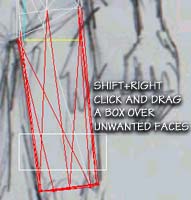
EVEN MORE EXTRUDING....I Extruded again and scaled it to the size of the ankle in the front and side views and moved it into position slightly, I did the same for the foot. When scaling you get three options, Center of Mass, Origin and User Point. Select "User Point" that way whatever is selected scales relative to where your cursor is, try it to see what I mean :) Very very useful
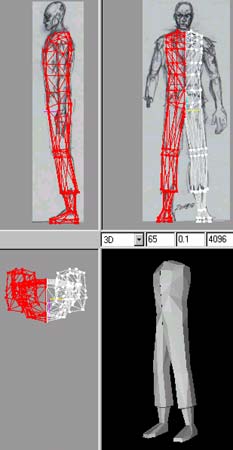
TESTINGI went to Edit-Duplicate selection then Vertex Mirror Left->Right to get a mirrored copy, I moved it across so the center lines were overlapping. Now its time have a real good look over it in the 3D view and turn any edges or tweak verts that aint quite right. Actually I do this many times as I'm modelling just to keep an eye on things! I then Deleted the duplicate and carried on working on just one side.
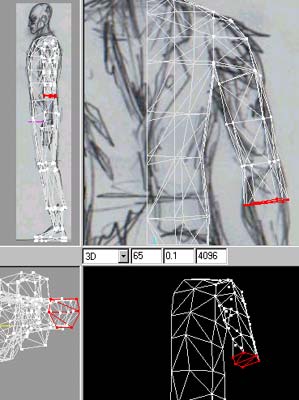
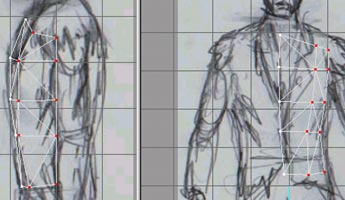
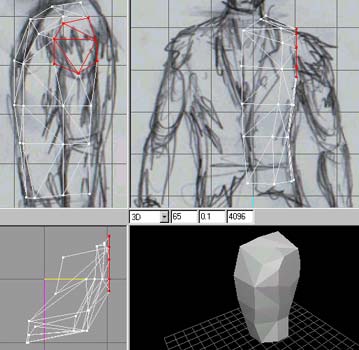
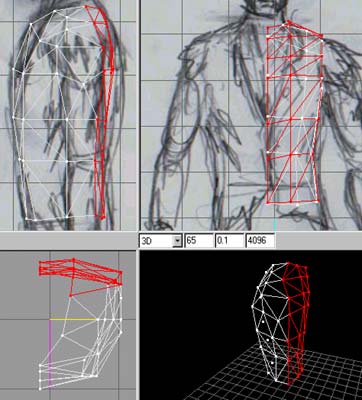
THE ARMSelect the faces that we purposely created in the shape of the shoulder and extrude out horizontally once to create the shoulder, move the verts to follow the shape of the sjoulder in the reference image, Now deselect and eslect the faces that are facing downwards, extrude the arm downwards scaling as you go along following the reference images again. Some faces dont quite look right sometimes so you need to select two faces and use CTRL E or turn edge, please read my milkshape basics for more on this but after a while you'll know which faces need turning (after about your tenth model :))
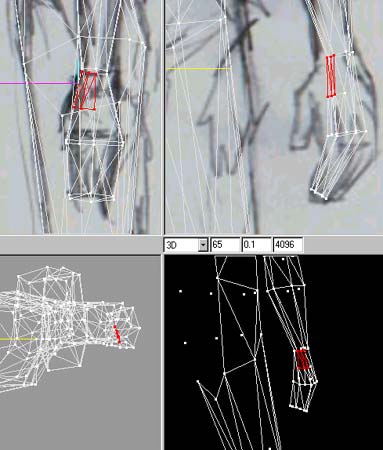
THE HANDI extruded the arm down and carried on to form the basic shape of the hand, I needed some extra faces to extrude the thumb from so I used "Subdivide 4" this divides the selected faces, and it was a BAD IDEA!!!!!! It left me with vertexs in between others etc, I had to search em out and snap and weld them to other existing verts, took me a while, so my TIP is plan ahead like I mentioned earlier, I should have extruded just one more time and I would have had the faces I needed to extrude the thumb But this is how I learn, the hard way :).
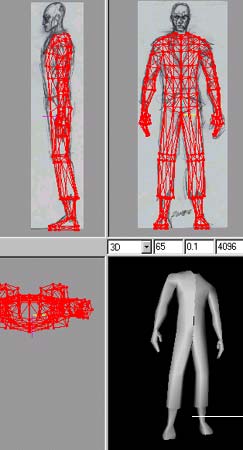
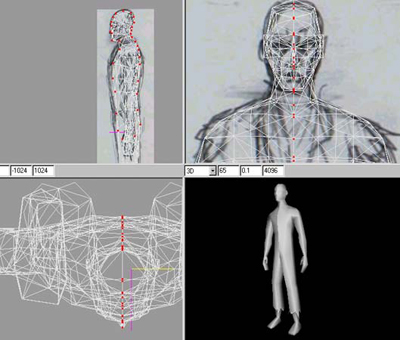
TESTING AGAINI duplicated and mirrored again to see how things where looking, put it in Smooth shade mode, looked over it tweaked things, put it in Wireframe mode and looked over it tweaked things, put it in Flat mode and looked over it tweaked things from all angles. when I say tweaked I mean moved vertexs into better positions, turning edges that dont look right and generally making sure it looks OK from all angles. Then its time for the head!! Delete the duplicate and make a start on the head......
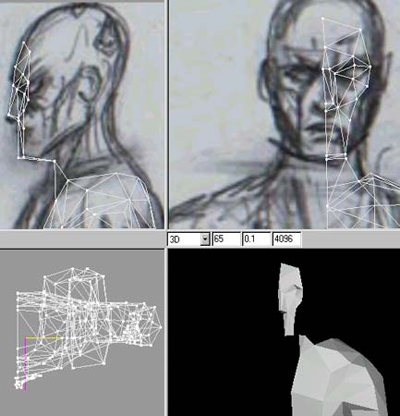
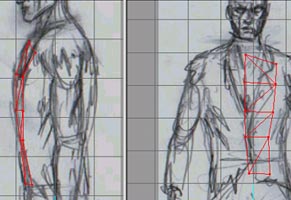
THE FACENow for the fun part!!! I add some verts basically forming the flat-ish front of the face, I move them into position using the side view as well to follow the lines of the face, then I build the faces. Basically just like building the torso, add a strip of verts, move em into position and build the faces. As you can see I place verts where changes in the faces that make up THE FACE will occur...Get what I mean? :)
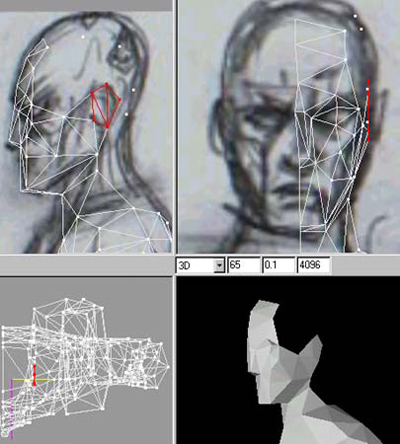
THE HEAD AND EARNow I started adding some verts to the side of the head and moving them into position using the front view, As you can see I built faces for where I intend to extrude the ear from later (Selected in RED) Other than that its a case of adding verts, building faces and constantly checking in the 3D view (FLAT shade mode) if any edges need turning.
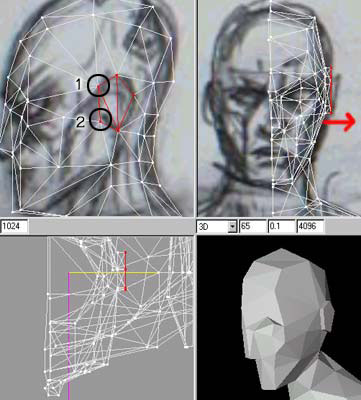
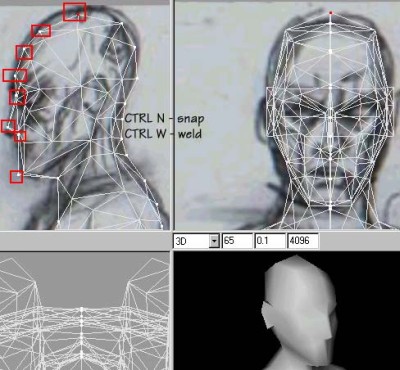
THE EARI added more verts and built faces for the back of the head. I then Selected the faces for the ear and extruded it out once, I dragged a box around the two verts marked "1"selecting them then I Snap 'N' Welded em using CTLR N and CTLR W, I did the same for the two verts marked "2" This brings the front edges of the ear in flush with the head instead of sticking out like a block (see the picture after the next one)


Tidak ada komentar:
Posting Komentar